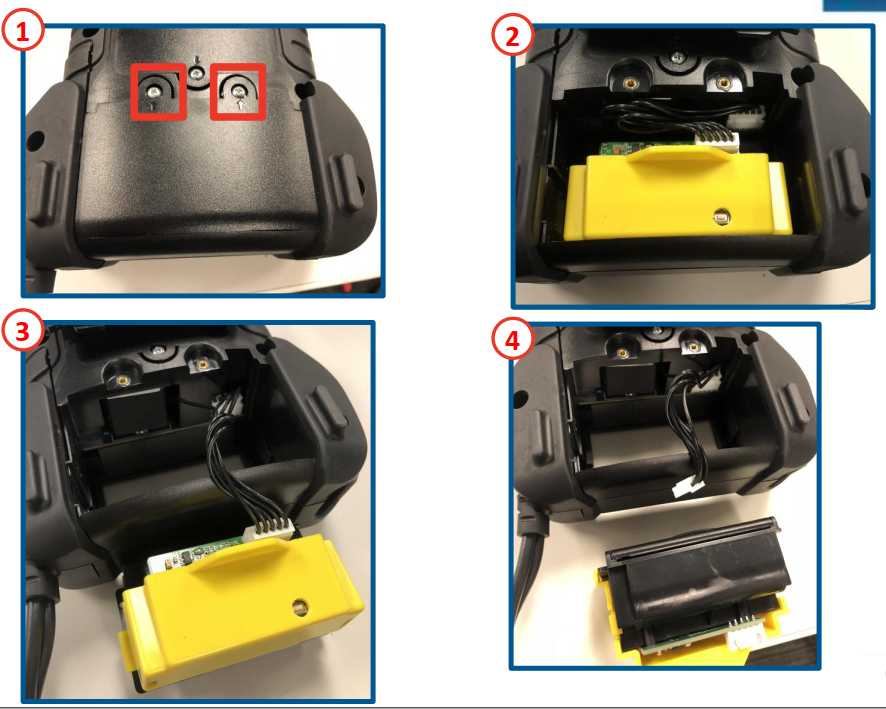
How to replace CPX-900 printer Remove the two screws holding the retaining plate in placePull the yellow assembly out of the back of the testerUn-clip the white connector attached to the printer PCBThe printer is un-installed. Reverse the steps to install the new printer. Updated on July 6, 2022 Related Articles CPX-900 Dock Uses Product Support Ordering CPX-900 Accessories How to replace CPX-900 clamps How to use the barcode scanner? What battery rating units does CPX-900 support?